
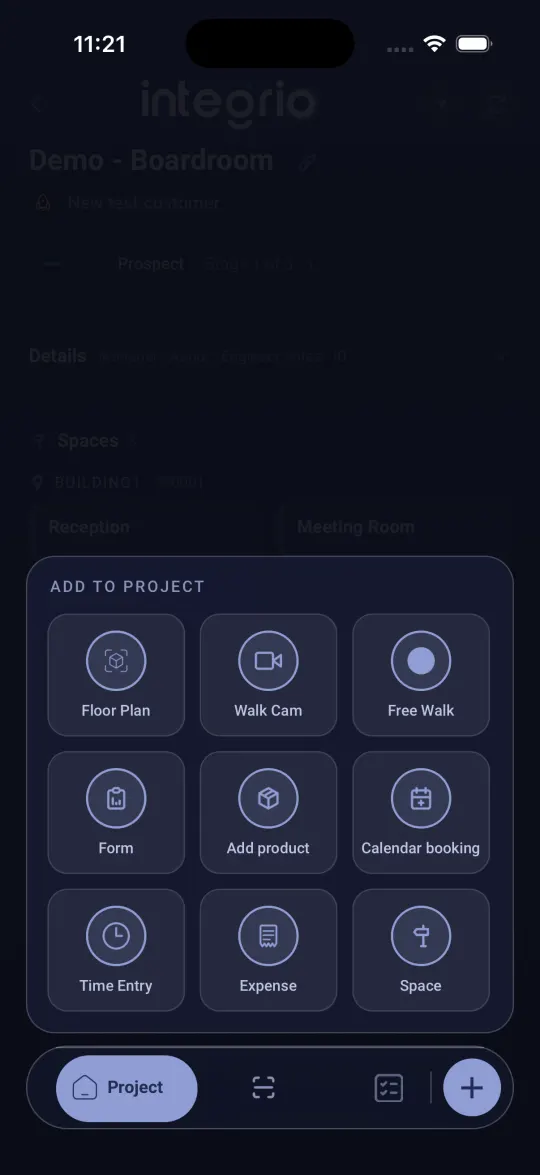
Free Walk records video while the app turns your commentary into captions. You can make a PDF report from it afterwards. The Walk Cam button next to it is a guided inspection with set questions; only use that if the office asks you to.
- 01
Choose where to walk
To walk the whole project, tap + on the project screen. To walk one room, open that space and tap + there.
- 02
Start Free Walk
Tap Free Walk. The camera opens straight away.
- 03
Record as you talk
Hold the record button to record and let go to stop. Talk as you film and your words appear as captions. Record as many clips as you need.
- 04
Name and save it
Tap Done, give the walk a name such as Ground floor walkthrough, and tap Save. It uploads by itself, or as soon as you are back online, and is listed under Walks on the project or space.
Good to know
- ✓The walk report opens as soon as you save, ready to turn into a PDF.
Still stuck?
Send us the project and the step you reached, and we’ll take a look.