
- 01
Text or Call is missing
If the grid only has an Email column, text and call reminders are not switched on for your company. Contact Integrio support to have them switched on.
- 02
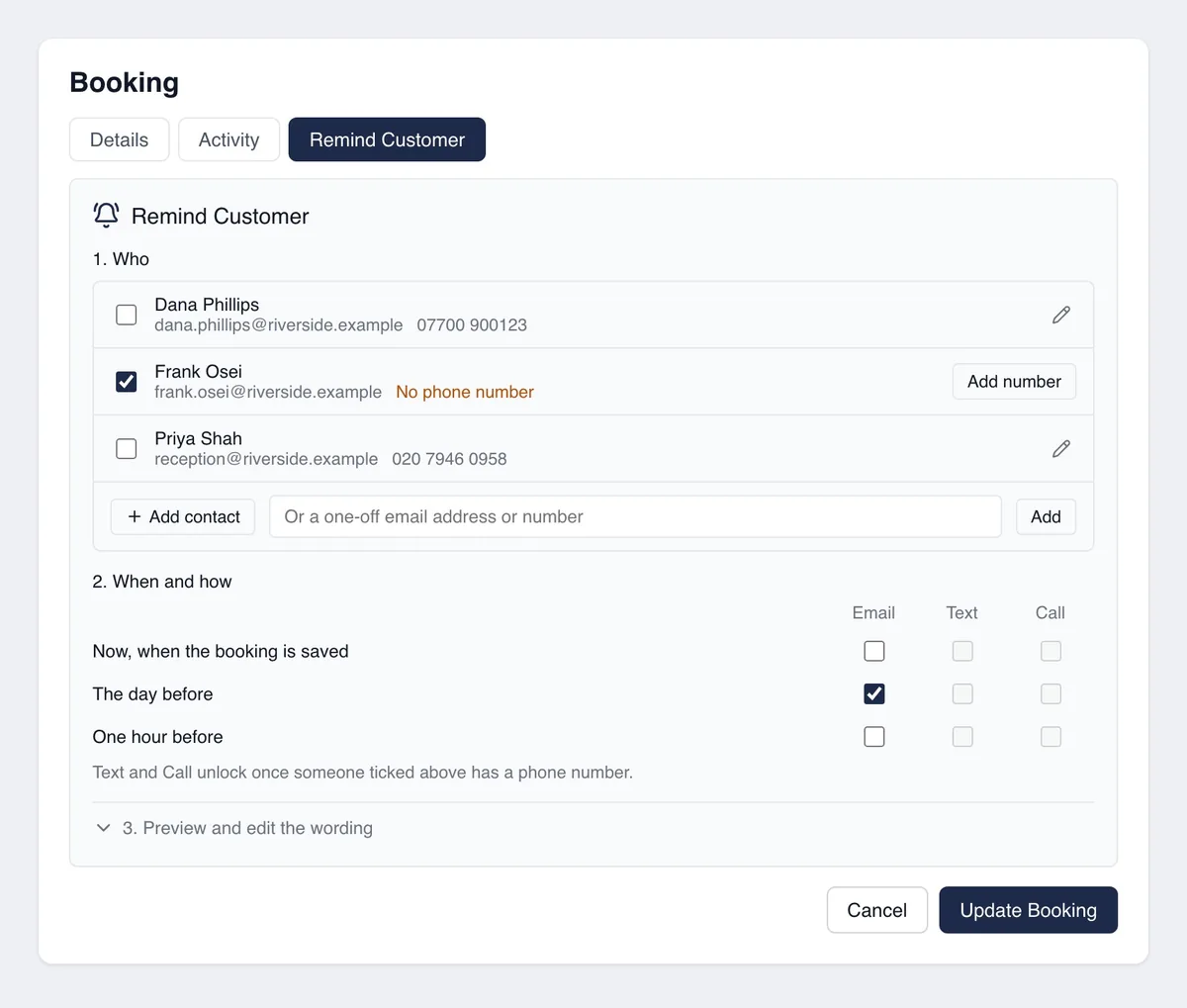
Text and Call are greyed out
Nobody you have ticked has a phone number. Tick a contact who has one, or select Add number next to a contact. If only Text is greyed out, the number on file is a landline, which can be called but not texted.
- 03
Nothing was sent
Reminders are only sent when you save the booking with Create Booking or Update Booking. If the tab says to assign a project with customer contacts, the project on the booking has no customer: add one to the project first.
- 04
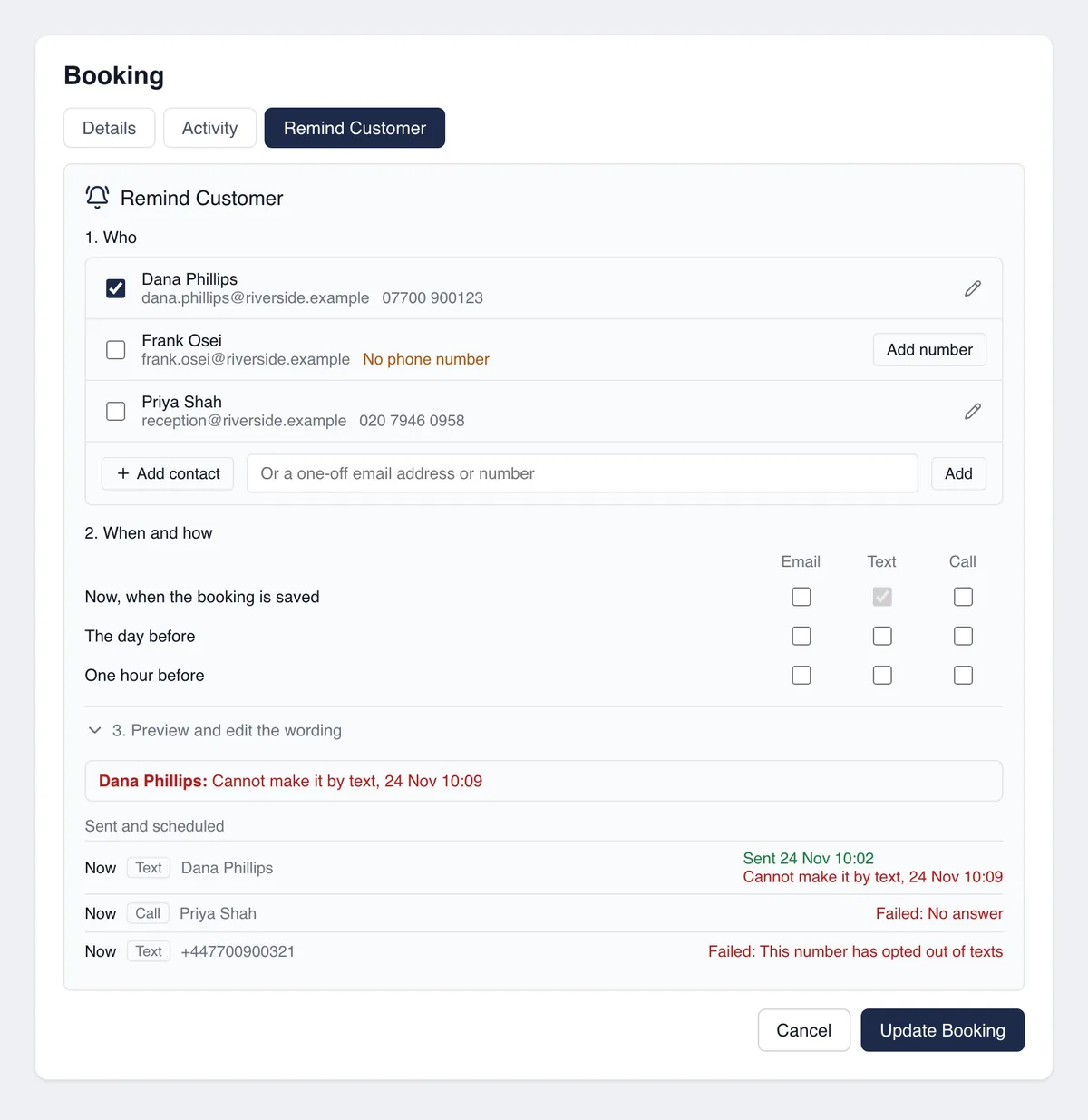
A reminder shows as Failed
The reason is shown next to it under Sent and scheduled. Number not valid: correct the contact's number. This number has opted out of texts: the customer replied STOP to an earlier text, so email or call them instead. Monthly limit reached: your allowance for the month is used up. Outside calling hours: the call fell due outside 8am to 8pm. No answer or Line was busy: try again or send a text.
- 05
The customer says the phone did not ring
A call that reaches voicemail still shows as placed, because the message was played. Poor signal or roaming can send a call straight to voicemail. Check the number on the contact.
- 06
The customer did not get the text
Texts usually arrive within a minute, but a phone that is off, abroad or out of signal can take much longer. The reminder shows Sent once Integrio has handed it over, and changes to Failed with the reason if it cannot be delivered.
- 07
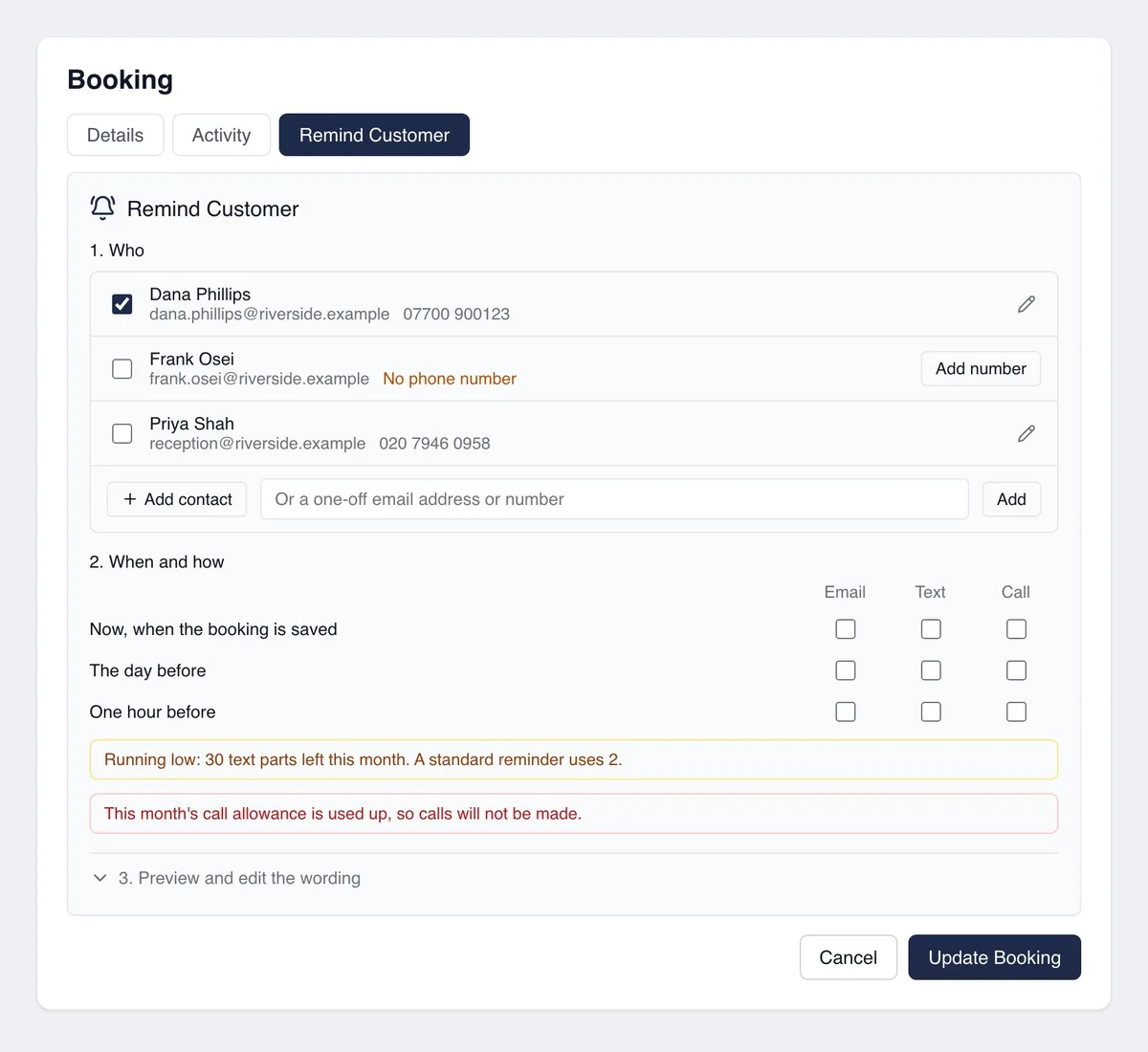
You are running low
A note appears on the booking when a fifth of your monthly texts or calls is left, and again when none is left. A standard reminder text uses 2 text parts.
Good to know
- ✓A scheduled call reads out the booking as it stands when the call is made, so it follows any change of date or time. A reminder already sent does not: send a new one after a change.
- ✓The call only names an assessor when the booking has attendees. With three or more, the first two are named, followed by "and others".
- ✓"May not have been sent" means Integrio could not confirm the outcome. Check with the customer before sending again, so they do not get two.
- ✓The texts and calls come from a shared Integrio number, so give customers your usual number for anything they need to discuss.
Still stuck?
Send us the project and the step you reached, and we’ll take a look.